
For a long time, leaving VMware was one of those ideas that many infrastructure teams talked about but relatively few seriously pursued. VMware was deeply embedded, administrators knew it, and even when the licensing wasn’t particularly attractive, the disruption involved in moving hundreds or thousands of virtual machines often made staying put the easier option.
That calculation has changed.
The changes following Broadcom’s acquisition of VMware have forced organizations to look again at infrastructure decisions that, in some cases, had gone largely unchallenged for a decade or more. Conversations about alternative hypervisors are no longer theoretical architecture exercises and, increasingly, Proxmox VE is appearing in the answer.
There is good reason for that. Proxmox has matured into a credible hypervisor with clustering, high availability, software-defined storage, backup and the management capabilities required to run substantial production environments. More importantly, organizations aren’t simply evaluating it in laboratories. Stanford University IT has published its own account of completing the move: more than sixty server nodes rebuilt into six independent Proxmox clusters, and approximately 1,500 virtual machines transitioned off VMware. Estates of that size are being migrated in the real world.
For an organization whose VMware estate consists primarily of server workloads, that can make the path forward look refreshingly straightforward: build the Proxmox environment, migrate the workloads, retire ESXi and move on.
But what happens when vSphere isn’t the only VMware product you depend upon?
Replacing vSphere is only half the story
Imagine an organization running a fairly conventional VMware environment. Its server estate sits on vSphere, while several hundred employees access Windows desktops and applications through VMware Horizon.
Some users might have complete Windows 11 desktops. Others launch a handful of published Windows applications, while contractors receive tightly controlled desktops without being given direct access to the corporate network. To the users, Horizon is simply how they get to the resources they need.
Then the organization decides to leave VMware.
Moving the infrastructure to Proxmox solves a significant part of the problem. The domain controllers can move. The file servers can move. The databases and application servers can move. The Windows virtual machines used to provide user desktops can run on Proxmox too.
But Horizon cannot simply be picked up and moved with them.
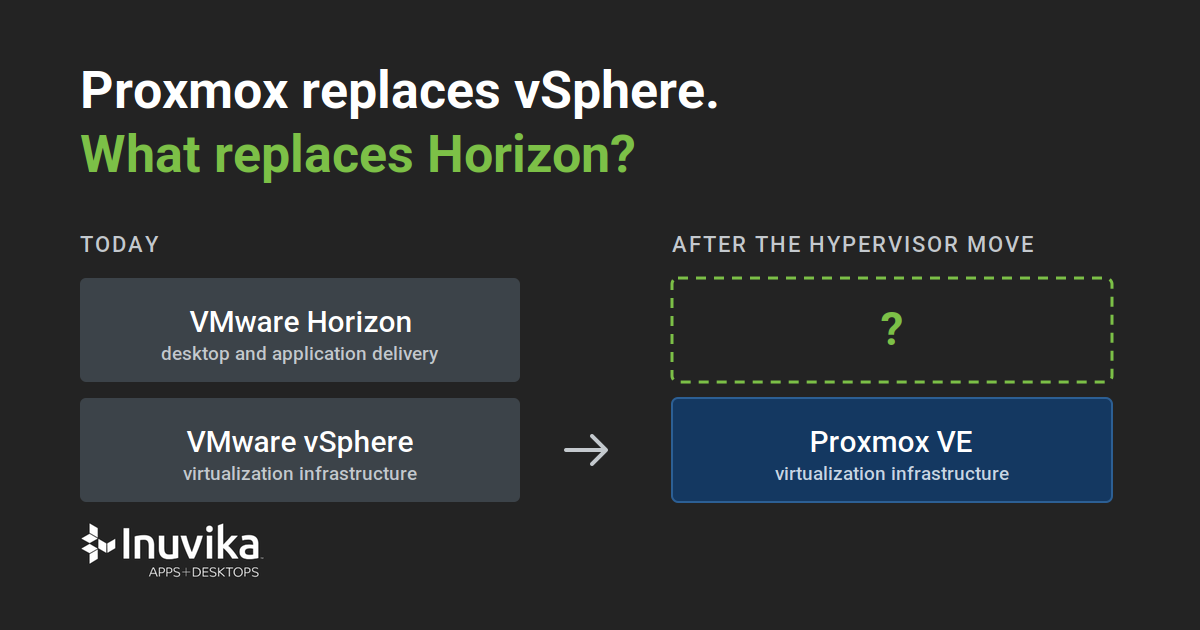
The reason becomes obvious when the VMware stack is separated into its constituent parts. vSphere provides the virtualization infrastructure; Horizon provides the service that turns that infrastructure into something users can consume. It knows who the users are, what applications and desktops they are entitled to access and where those resources should come from.
Proxmox replaces the first of those functions. It isn’t intended to replace the second.
At that point, what looked like a hypervisor migration becomes an end-user computing project as well. The question is no longer simply “What do we replace vSphere with?”
If Horizon is part of the estate, there is another question: what replaces Horizon?
A different desktop layer
This is where we fit.
Inuvika OVD Enterprise provides the application and desktop delivery layer above the hypervisor, and it is a VMware Horizon alternative that is not tied to a hypervisor. Proxmox provides the infrastructure on which virtual machines run; we turn the Windows and Linux workloads running on that infrastructure into applications and desktops that can be securely delivered to users.
Consider an organization with 600 Horizon users. Two hundred engineers receive their own Windows 11 virtual desktops because they need complete desktop environments. The remaining 400 employees primarily need access to a collection of Windows business applications.
Before the migration, all of that might have been delivered through Horizon on vSphere. Afterwards, it can be delivered through Inuvika OVD Enterprise on Proxmox.
The engineers can continue to receive dedicated Windows desktops, while the other employees can receive shared Windows desktops or individual published applications. From the user’s perspective, the underlying hypervisor is largely irrelevant: they authenticate and receive the resources assigned to them.
Behind the scenes, however, both layers of the VMware environment have been replaced.
Importantly, Inuvika OVD Enterprise isn’t simply software that happens to run inside virtual machines hosted by Proxmox. We include provisioning support for Proxmox VE, so our software interacts directly with the virtualization infrastructure beneath it.
From a Windows image to a user’s desktop
If those 200 engineers need Windows 11 desktops, somebody has to create and maintain them. Likewise, if the shared application environment needs more capacity as user demand increases, manually building every additional Windows server would rather undermine the point of having a managed desktop service.
Instead, an administrator prepares a gold master containing the operating system, applications and configuration required by the organization. We can then use that template to provision the instances needed to provide desktops and applications.
The organization still owns and manages the Windows image. It decides how Windows is patched, which applications are installed and which security policies are applied. For a Proxmox deployment, Windows preparation including Sysprep is handled through OVD Server Scripts, while the final conversion of the prepared virtual machine into a template takes place within Proxmox itself. Both steps are set out in our provisioning documentation.
Once prepared, that template becomes the basis for the Windows resources we provision.
This distinction matters because there is a significant difference between saying a VDI product runs on Proxmox and saying it actually integrates with Proxmox. Almost any application can be installed inside a virtual machine. Integration means the desktop software can work with the infrastructure underneath it to create the resources required to deliver the service.
For an organization leaving VMware, that means moving to Proxmox doesn’t have to mean giving up the automation it previously expected from its desktop delivery software.
Don’t automatically rebuild the Horizon estate
A migration is also a good opportunity to question whether every user still needs the architecture they had before.
If our example organization currently has 600 Horizon desktops, the obvious migration plan might be to create 600 replacement desktops. But perhaps only the 200 engineers actually need their own Windows environment. If the other 400 users spend most of their working day using the same handful of Windows applications, providing each of them with a separate Windows 11 virtual machine may achieve little beyond creating hundreds more operating systems to run, patch and manage.
Inuvika OVD Enterprise supports both approaches within the same environment.
Users who need an individual Windows environment can receive a dedicated desktop, while applications and shared desktops can be delivered from Windows application servers to users who don’t. Multiple users can therefore share the underlying server resources while still receiving their own individual sessions.
That turns the migration into an opportunity to ask a more useful question than “How do we recreate Horizon on Proxmox?”
Instead, ask: “What are our users actually using Horizon for?”
The replacement environment can then be designed around the service they need rather than simply reproducing the infrastructure that happened to provide it before.
Avoiding the next dependency
There is a wider lesson here too. For many organizations, recent events around VMware have demonstrated the risk of allowing too much of an infrastructure stack to depend upon a single vendor.
Replacing it with another tightly coupled stack would be an odd conclusion to draw from that experience.
Inuvika OVD Enterprise isn’t a Proxmox-only solution. Proxmox is one of the environments in the built-in list our provisioning system works with, alongside Nutanix AHV, VMware vSphere and VergeOS, and cloud providers including Zadara, Microsoft Azure, Google Cloud and AWS. More broadly, we are hypervisor and cloud agnostic, and we run on KVM, Hyper-V and Virtuozzo as well.
Today, an organization might decide that Proxmox is the right destination for everything currently running on vSphere. In the future it might acquire another business, introduce cloud infrastructure or make another change that nobody designing today’s environment can predict.
Separating the two layers means those decisions can remain independent.
Choose Proxmox because it is the right hypervisor. Choose Inuvika OVD Enterprise because it is the right application and desktop delivery solution. Changing one doesn’t automatically mean changing the other.
Leaving VMware means looking beyond vSphere
For organizations using VMware purely for server virtualization, moving to Proxmox can provide a clear route away from vSphere. Real-world migrations at Stanford and elsewhere have already demonstrated that Proxmox is capable of running substantial production environments.
For organizations using VMware Horizon (Omnissa), however, replacing the hypervisor is only part of the journey.
Proxmox provides the virtualization infrastructure, while Inuvika OVD Enterprise can provide the application and desktop delivery layer above it. Together, they provide a route away from both vSphere and Horizon without giving up centrally managed Windows applications, shared desktops or dedicated VDI.
Perhaps more importantly, they allow an organization to replace a vertically integrated VMware stack with two independent technology decisions.
Replacing vSphere is one decision.
Replacing VMware Horizon is another.
And separating the two may ultimately be one of the most useful things about making the move.
Frequently asked questions
Can Proxmox replace VMware Horizon?
Not directly. Proxmox VE provides the virtualization infrastructure and can replace the role performed by VMware vSphere and ESXi. Horizon performs a different role, brokering users to the desktops and applications they are entitled to, and that layer has to be replaced separately. Inuvika OVD Enterprise is designed to be that layer.
Does Inuvika OVD Enterprise support Proxmox VE?
Yes. Proxmox is one of the environments in the built-in list our provisioning system works with, alongside Nutanix AHV, VMware vSphere, VergeIO and the major cloud providers. Provisioning runs on Terraform, so environments outside that list can be added through the advanced configuration or by our support team.
Do we have to give every user their own Windows desktop?
No, and most organizations shouldn’t. Dedicated instances give a user their own Windows environment, and shared instances deliver session-based desktops and published applications from one Windows application server. Both run in the same environment, so the architecture can follow what each group of users actually does.
How is the Windows gold master prepared for Proxmox?
You build an application server with the operating system, applications and configuration you want, and register it as a template. On Proxmox, Sysprep is configured through OVD Server Scripts. The final conversion of the prepared virtual machine into a template happens in Proxmox itself, because that operation belongs to the hypervisor rather than to our console.
If we move again later, do we have to change the desktop layer too?
No. That is the point of keeping the two decisions separate. The same environment runs on Nutanix AHV, VMware vSphere, VergeIO and public cloud providers, so a future infrastructure change does not force a second migration of the desktop layer.
Try it on Proxmox
Inuvika OVD Enterprise installs in hours and provisions desktops from your own gold master image. Start a free 30-day trial.